A domain is your address on the internet, for example yourcompany.com. You can search for a free name and register it in a few minutes on the TackHost customer portal. The yearly price is shown before you order, and free WHOIS privacy is included.
Where is this? On the customer portal my.tackhost.com, not in the hosting control panel.
1. Search for a name
- Sign in to my.tackhost.com and click Domain Registration in the top menu.
- Make sure Register New Domain is selected, type the name you want (for example
yourcompanyoryourcompany.com) and click Search. - The results show your name with the most popular extensions (.com, .net, .org, .store and others):
- Available names show the price per year and a Register button.
- Taken names are already registered by someone. If the name is yours at another company, you can move it to us with Transfer instead (see Transfer your domain to TackHost).
- Click Register next to the name you want.
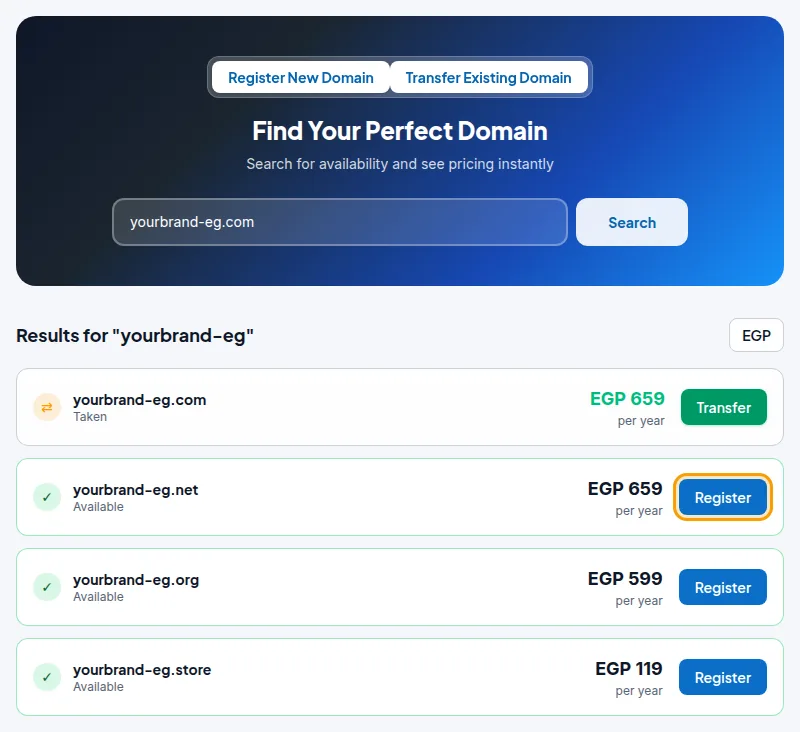
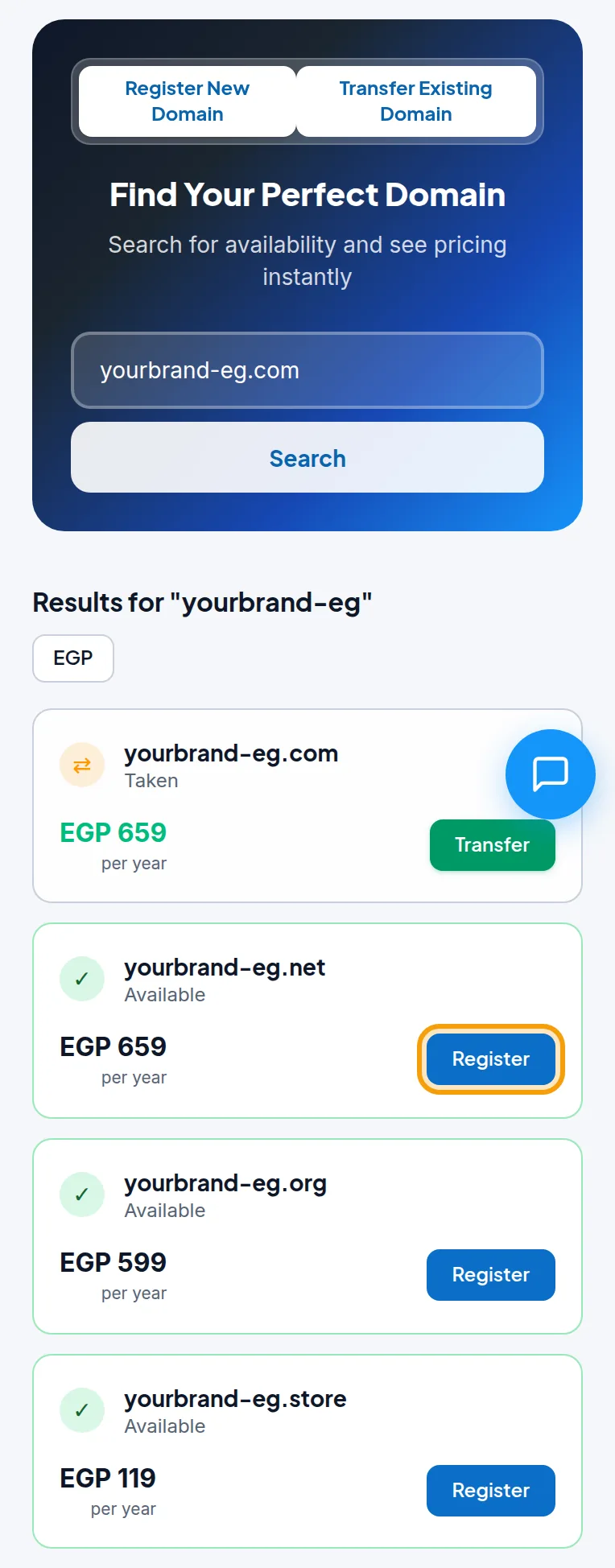
The button in the corner of the results switches the prices between Egyptian pounds (EGP) and US dollars. On a phone the results are shown one under the other:
Under the search box, the Domain Pricing table lists the register, renew and transfer price of every extension.
2. Choose the period and check out

- Check that Domain Name is spelled exactly as you want it. It cannot be changed after registration.
- Choose the Registration Period: 1, 2, 3, 5 or 10 years. The Total today in the Order Summary updates with the period you choose.
- Click Checkout, review your cart, accept the terms and click Checkout again.
- Pay the invoice by InstaPay (upload the receipt on the invoice) or by card. See Pay an invoice.
3. Find your domain
When your payment is confirmed, the domain is registered for you and appears in the portal under Domains in the side menu:
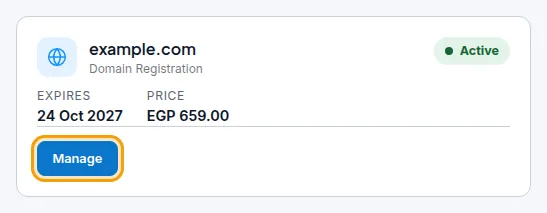
Click Manage to change its nameservers, contacts and other settings. See Manage your domain.
Good to know
- A new domain is set up to use the TackHost nameservers (
ns1.tackhost.comandns2.tackhost.com), with WHOIS privacy and auto-renew turned on. - To use the domain for a website and email, add it to your hosting account. See Add a domain to your hosting.
- When you order a hosting plan, you can also register a new domain or transfer one in the same order, under Domain Setup.
- The renewal price can be different from the first-year price. Check the Renew column in the Domain Pricing table.
- Choose the name carefully: a registered domain cannot be renamed. If you need a different spelling, register it as a new domain.
Need help choosing a name? Open a support ticket and we will help you.