Your hosting plan includes a fixed amount of disk space. Your website files, your email and your databases all count towards it. When the space runs out, uploads fail and new email may not be delivered, so it is worth checking from time to time what is taking the space.
Where is this? In the hosting control panel (the panel you open from my.tackhost.com with Open Control Panel), not on the my.tackhost.com website itself.
1. A quick look: the usage panel
Every page of the control panel shows a Statistics panel at the side. Disk Usage shows how much you use out of your plan's total, and the line below splits it into Files, Email and DB (databases).
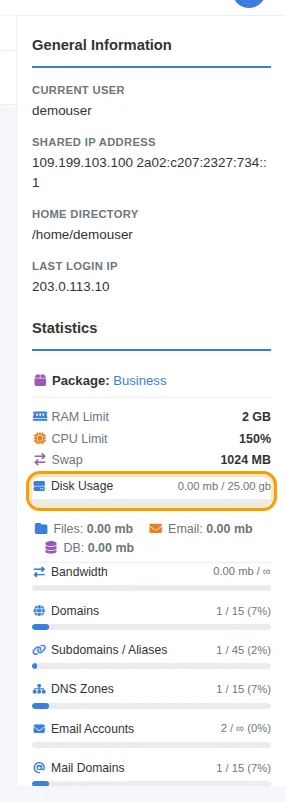
These figures are counted once a day, overnight. A big upload or a cleanup you did today shows up there tomorrow. For an up-to-date figure, use the Disk Usage page below.
2. The Disk Usage page
- Sign in to my.tackhost.com, open your hosting service and click Open Control Panel.
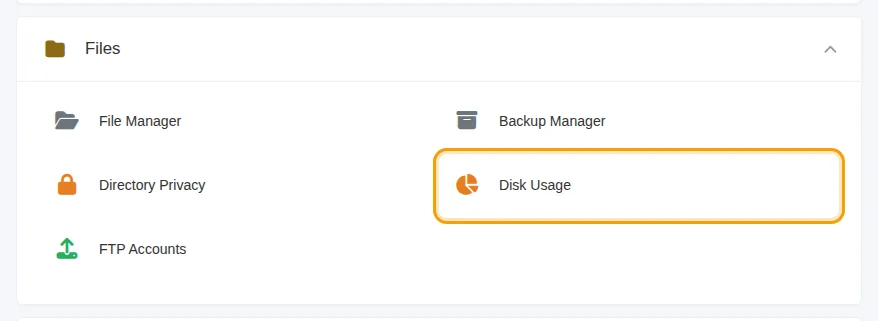
- On the control panel Home page, open Files and click Disk Usage.
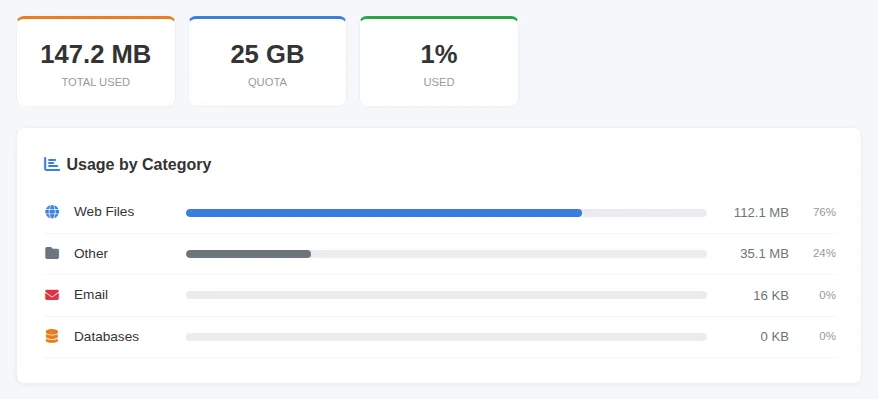
At the top you see Total Used, your Quota and the percentage Used. Usage by Category splits the space into:
- Web Files: your websites (pages, images, plugins, uploads).
- Other: files in your account outside the website folders, such as caches and temporary files.
- Email and Databases: see the note under step 3.
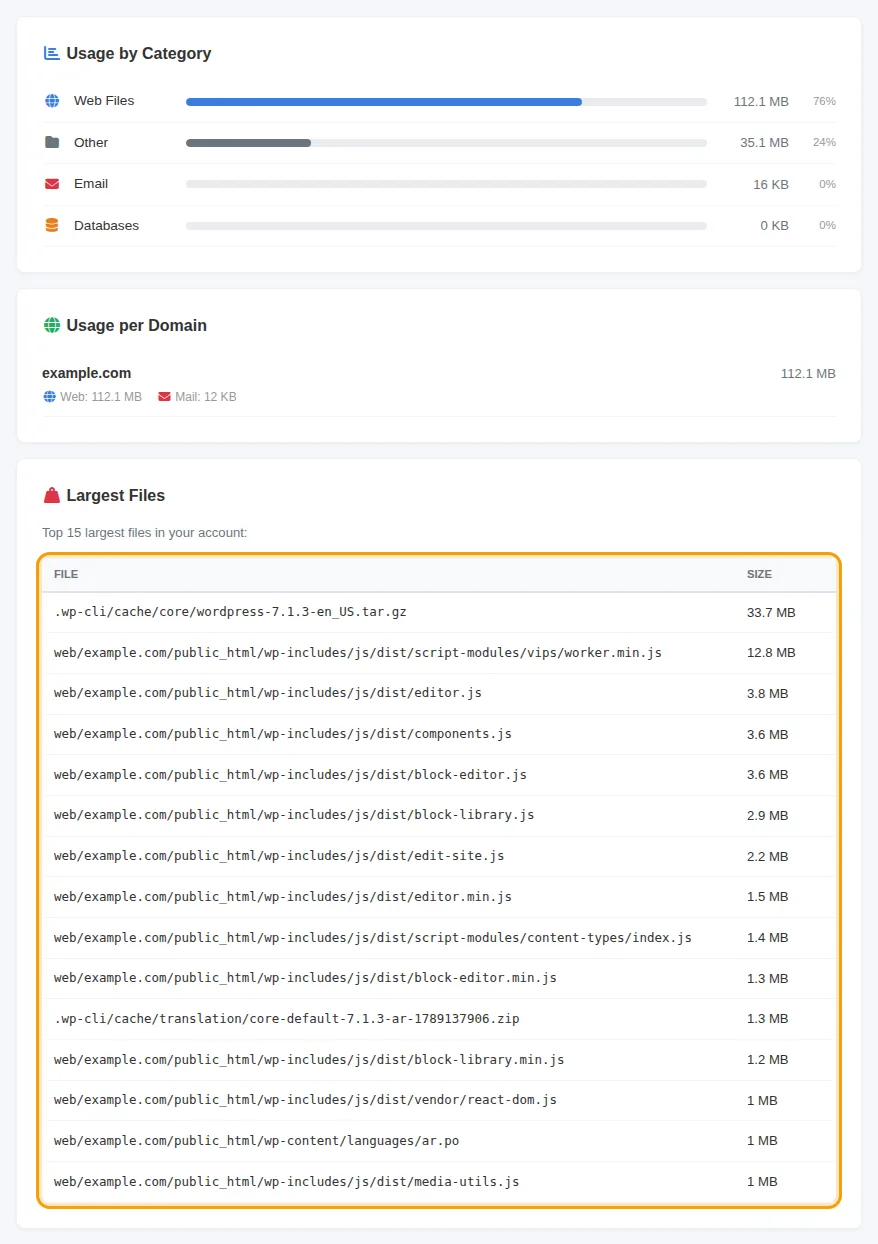
Further down, Usage per Domain shows how much each website takes, and Largest Files lists the 15 biggest files in your account with their location. This list is usually the fastest way to find what is filling the space: old backup archives (.zip, .tar.gz) you uploaded and forgot, large videos, or files left behind by a plugin.
To delete a file you no longer need, open it in the File Manager and delete it there. If you are not sure whether a file is needed by your site, ask us first.
3. How much space each mailbox uses
For email, check the mailbox sizes on the Email page:
- On the control panel Home page, click Email in Quick Access.
- Click your mail domain.
- The Disk column shows how much each mailbox uses, and Quota shows its limit (∞ means no limit of its own).
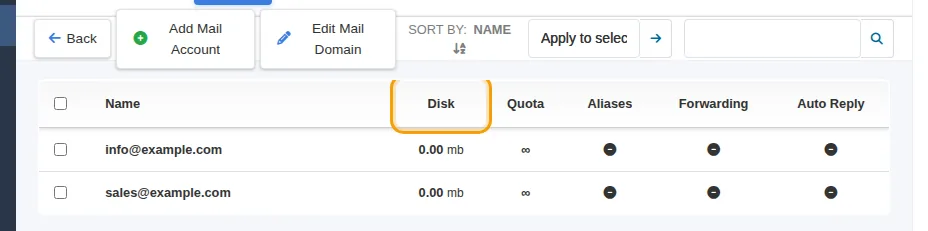
Like the usage panel, these sizes are counted once a day. The Email and Databases lines on the Disk Usage page can show less than the real size, so rely on this column for email and on the usage panel for databases.
To free email space, open the mailbox in webmail, delete large old messages (sort by size), then empty the Trash and Junk folders. You can also give a mailbox its own quota so one person cannot fill the whole account. See Create an email account.
Good to know
- Deleted files are freed at once, but the usage panel and the mailbox sizes update only after the next nightly count.
- Backups made by TackHost do not use your disk space. They are stored separately. See Backups and restore.
- Need more space? You can move to a larger plan at any time. See Upgrade your plan.
Need help? Open a support ticket and we will help you find what is filling your space.