This guide shows you around the hosting control panel, so you know where everything is: your domains, email, files, databases and backups.
To open it, go to my.tackhost.com > Services > your hosting plan > Open Control Panel. See Open your control panel.
The Home page
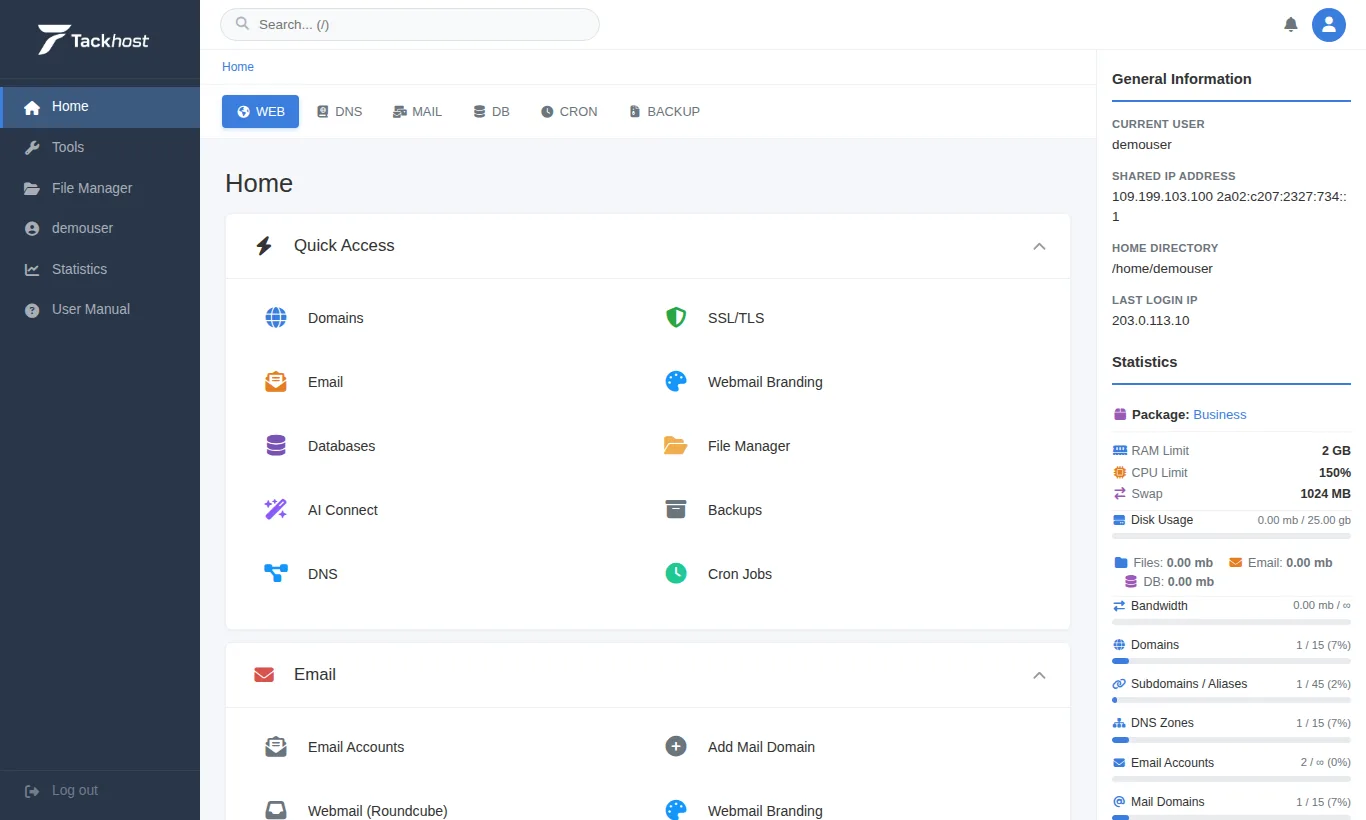
The screen has four parts:
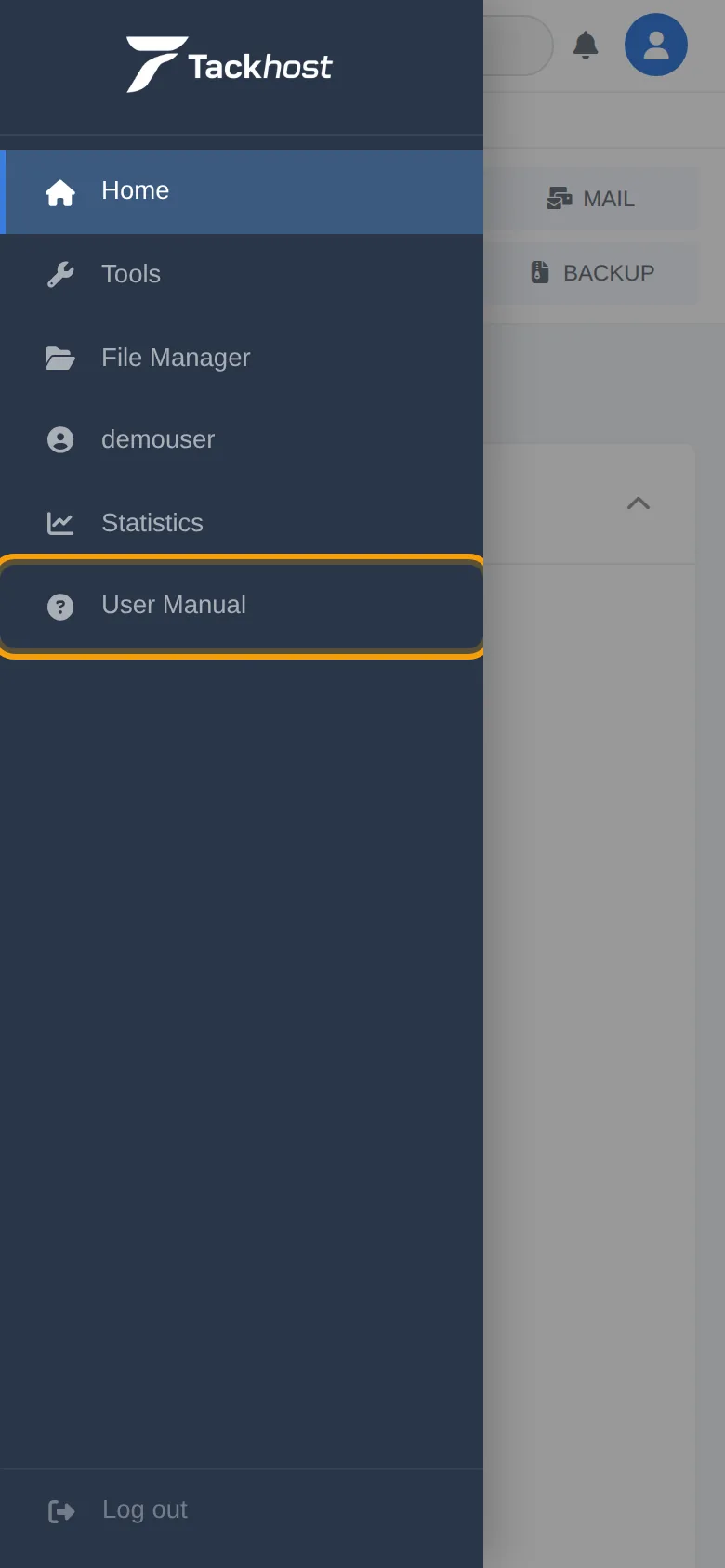
- Side menu (left): Home, Tools, File Manager, your account name (account settings), Statistics, User Manual and Log out.
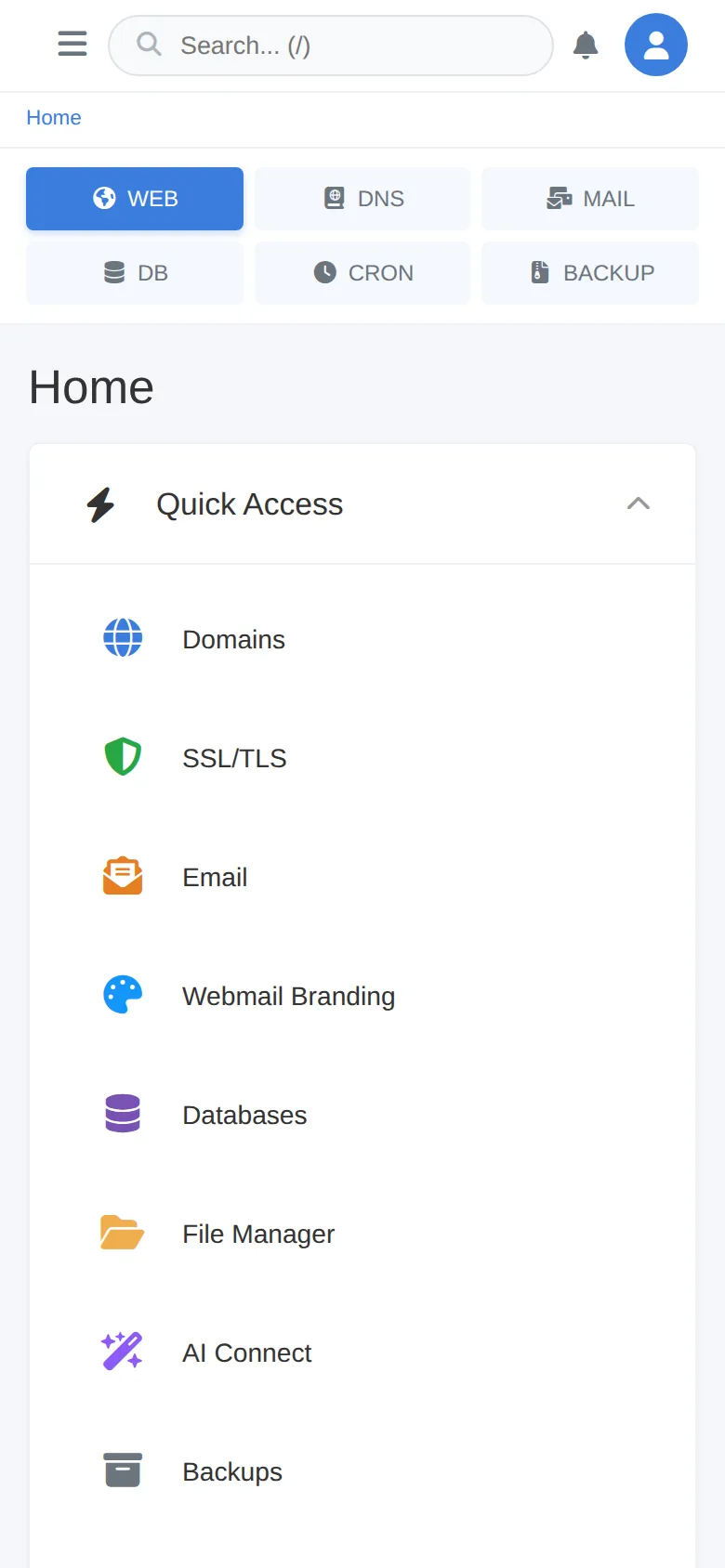
- Search and section tabs (top): the search box, and the tabs WEB, DNS, MAIL, DB, CRON and BACKUP that jump straight to each list.
- Tools (middle): every tool, grouped into categories.
- Your account (right): your plan and how much of it you use.
Quick Access and the categories
Quick Access at the top holds the tools people use most: Domains, SSL/TLS, Email, Webmail Branding, Databases, File Manager, AI Connect, Backups, DNS and Cron Jobs.
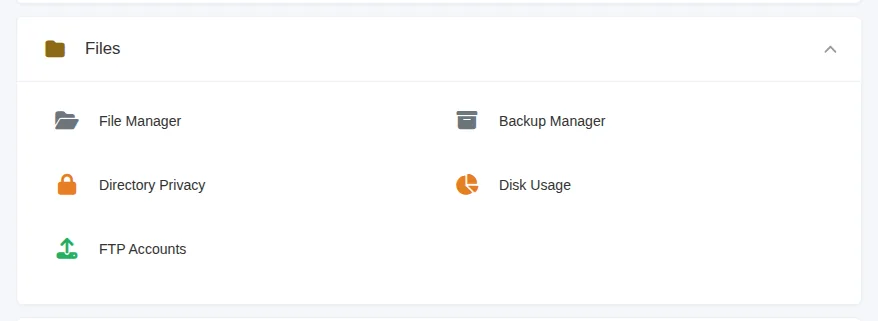
Below it, the tools are grouped into categories. Click a category's title to open or close it:
| Category | What you find there |
|---|---|
| Email accounts, webmail, spam filter, forwarding, DKIM / SPF / DMARC | |
| Files | File Manager, Backup Manager, Disk Usage, FTP Accounts |
| Databases | MySQL databases, Create Database, phpMyAdmin, Redis Cache |
| Domains | Your domains, Add Domain, DNS Zone Editor, SSL |
| Apps & Tools | WordPress Manager and one-click app installs |
| Metrics | Visitors and statistics, error logs |
| Advanced | Cron Jobs, Node.js Apps |
| Preferences | Account settings, password and security, language, contact details |
Search
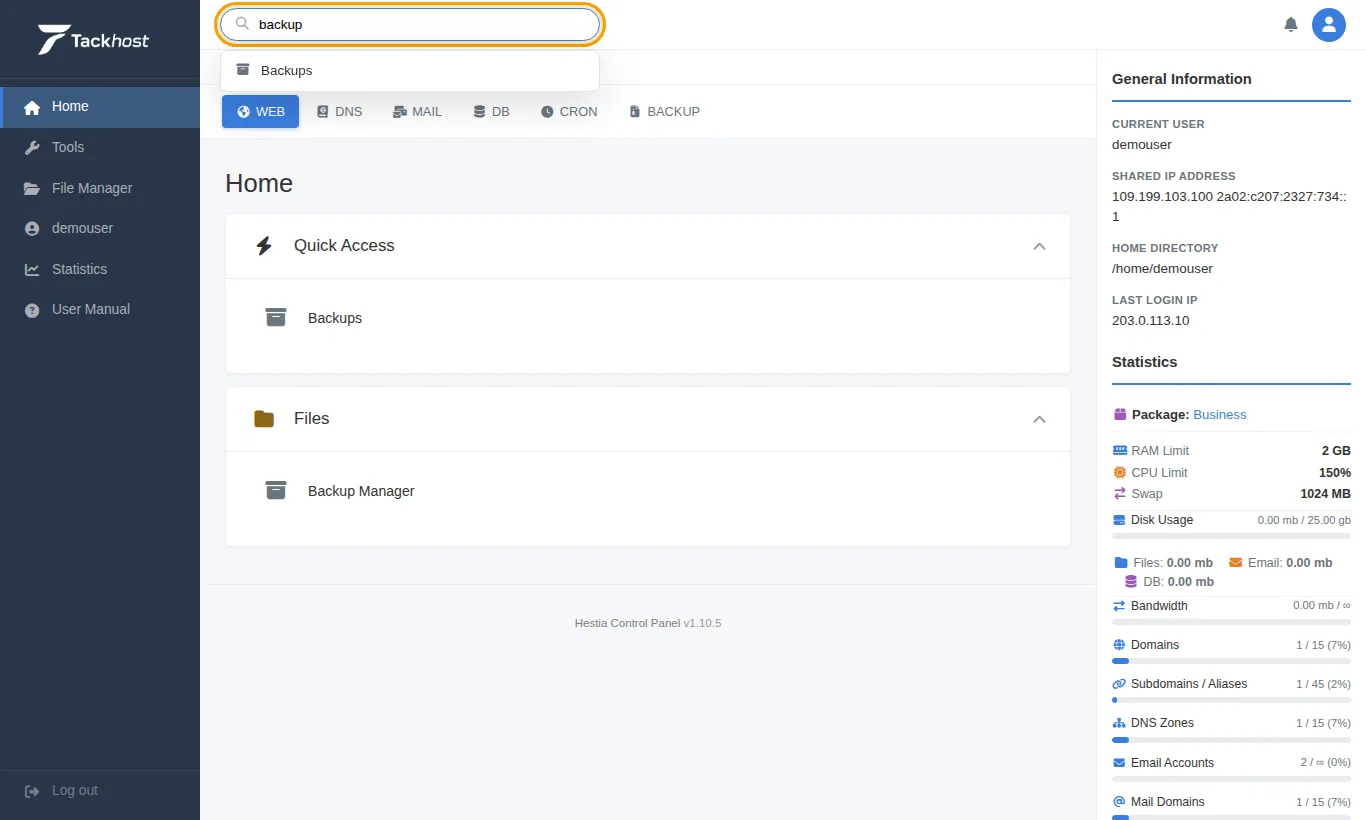
Type in the search box at the top (or press / on your keyboard) to find a tool by name. The tool list filters as you type:
Your account and usage
The right-hand column shows General Information (your username and the server address) and Statistics: your plan (Package), its limits, your Disk Usage split into files, email and databases, and how many domains, email accounts and other items you use out of your plan's allowance.
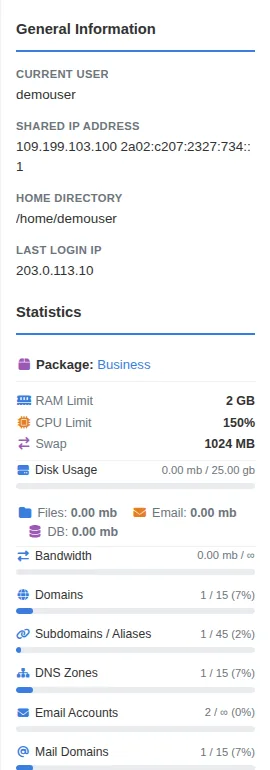
When a bar gets close to full, clean up old files or emails, or upgrade your plan.
On a phone
The panel works on phones too. The section tabs move under the search box and the tools are shown in one column:
Tap the menu button (three lines, top left) to open the side menu. User Manual opens the built-in guide to the panel:
Good to know
- Home always brings you back to this page.
- Want the panel in Arabic? See "Switch the panel to Arabic" in Open your control panel.
- Some tools open in a new tab (for example webmail and phpMyAdmin).
Need help? Open a support ticket and tell us what you are looking for.